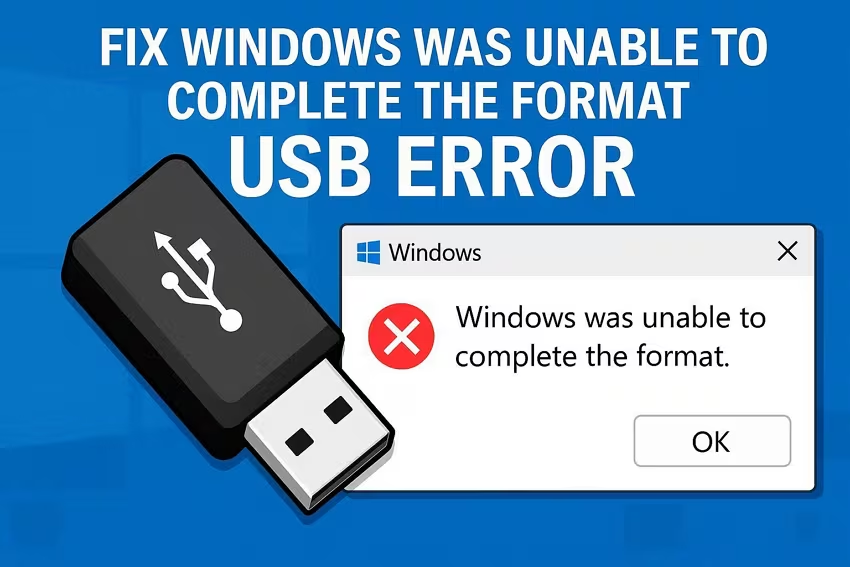
USB drives are among the most commonly used storage devices for transferring files, creating backups, installing software, and connecting portable storage to different devices. However, users often encounter formatting errors that prevent USB drives from working properly. These problems may appear when trying to access the drive, copy files, or format the device using Windows built-in tools.
Guiformat is a popular FAT32 formatting utility that many users turn to when they experience formatting problems with USB drives. The software is especially known for formatting large drives into FAT32, something Windows normally restricts for drives larger than 32GB. Because of its reliability and simplicity, many people wonder whether Guiformat can actually fix USB formatting errors.
The answer depends on the type of formatting problem involved. In many situations, Guiformat can successfully resolve common file system and formatting issues by completely rebuilding the FAT32 structure on the USB drive. However, it cannot repair serious physical hardware damage or all types of corruption.
Understanding USB Formatting Errors
USB formatting errors can happen for many different reasons. Sometimes the drive may become corrupted because it was disconnected improperly while files were being transferred. Power interruptions, virus infections, damaged file systems, and software crashes can also create formatting problems.
In some cases, Windows may display messages such as “Windows was unable to complete the format” or “The disk is write protected.” Users may also encounter drives that suddenly become inaccessible or appear as RAW partitions instead of recognizable file systems.
These problems often make the USB drive unusable until the file system is repaired or reformatted.
What Is Guiformat?
Guiformat is a lightweight formatting tool designed mainly for creating FAT32 partitions on storage devices larger than 32GB. The software is commonly used for USB drives, SD cards, and external hard disks that need FAT32 compatibility.
Unlike many advanced disk management programs, Guiformat focuses entirely on FAT32 formatting. It is small in size, portable, and easy to use, which has made it popular among gamers, technicians, and regular computer users.
Because it directly rebuilds the FAT32 file system structure, Guiformat can sometimes fix formatting-related issues that Windows built-in tools fail to resolve.
How Guiformat Can Fix Certain Formatting Errors
Guiformat can help fix formatting errors when the problem is mainly related to file system corruption or Windows formatting limitations. If the existing file system has become damaged or unreadable, the software can erase the corrupted structure and create a fresh FAT32 partition.
For example, if a USB drive cannot be formatted properly using Windows File Explorer, Guiformat may still succeed because it bypasses some Windows formatting restrictions.
The software can also help when a USB drive contains incompatible or damaged partition structures. By completely rebuilding the FAT32 system, Guiformat often restores normal functionality.
In many cases, users who receive formatting errors in Windows find that Guiformat successfully reformats the drive and makes it usable again.
Fixing RAW USB Drives
One common issue users experience is a USB drive becoming RAW. A RAW drive means the operating system no longer recognizes the file system properly.
When this happens, Windows may request formatting before allowing access to the drive. Sometimes Windows formatting tools fail during the process, especially if the partition structure is damaged.
Guiformat can sometimes fix RAW USB drives by completely replacing the damaged file system with a fresh FAT32 partition. After formatting, the drive often becomes accessible again.
However, users should understand that formatting a RAW drive erases existing data, so important files should be recovered first if possible.
Solving FAT32 Formatting Restrictions
Many users think formatting errors occur because the USB drive itself is damaged, when in reality the issue comes from Windows restrictions.
Windows does not normally allow FAT32 formatting on drives larger than 32GB through its graphical formatting tools. As a result, users attempting to format large drives into FAT32 may believe the process has failed.
Guiformat solves this issue by bypassing the Windows limitation and directly creating a FAT32 partition. In these cases, the software effectively resolves the formatting problem immediately.
This is one reason why Guiformat is so widely recommended in gaming and technical communities.
Can Guiformat Repair Physical USB Damage?
Although Guiformat can fix many logical formatting problems, it cannot repair physical hardware damage.
If a USB drive has failing memory chips, damaged connectors, electrical faults, or severe bad sectors, formatting alone may not solve the issue. In such cases, the drive may continue malfunctioning even after formatting.
Symptoms of physical damage may include extremely slow performance, repeated disconnections, overheating, or the drive not being detected at all.
Guiformat can only rebuild the file system. It cannot repair broken hardware components inside the USB drive.
Quick Format vs Full Format for Error Fixing
Guiformat offers both quick formatting and full formatting behavior depending on how it is used.
Quick formatting is much faster because it only removes the old file system structure and creates a new one. This method often fixes simple corruption issues quickly.
Full formatting takes longer because it checks the drive more thoroughly and may identify bad sectors. In some situations, a full format is more effective for resolving persistent errors.
Users experiencing repeated USB problems may benefit from using a more complete formatting approach instead of relying only on quick format operations.
Why Guiformat Is Popular for USB Recovery
One reason Guiformat is so popular is because of its simplicity and reliability. Many advanced disk utilities contain complicated settings that confuse beginners. Guiformat focuses entirely on FAT32 formatting, making it easier to use.
Its lightweight and portable design also helps users quickly test whether formatting can restore a malfunctioning USB drive.
Gaming communities especially rely on Guiformat because many gaming consoles and emulator systems require FAT32-formatted USB drives. When formatting errors appear, Guiformat is often one of the first recommended solutions.
Safety Considerations
Although Guiformat is generally safe, users should always remember that formatting permanently erases existing data on the drive.
Before attempting to fix formatting errors, users should back up important files if possible. If valuable data is already inaccessible, recovery software may be needed before formatting.
Users should also carefully select the correct drive during formatting to avoid accidentally erasing another storage device.
Downloading Guiformat from trusted sources and scanning files with antivirus software are also recommended safety practices.
Other Situations Where Guiformat Helps
Guiformat is commonly used in several situations beyond basic formatting errors. Users often rely on it when preparing USB drives for gaming consoles, smart TVs, routers, BIOS updates, cameras, and multimedia systems.
Some firmware installation tools only recognize FAT32 drives, making Guiformat extremely useful for preparing compatible storage devices.
Retro gaming enthusiasts and emulator users also frequently use the software because FAT32 compatibility is often required.
In these situations, Guiformat not only fixes formatting issues but also improves device compatibility.
Limitations of FAT32 Still Apply
Even if Guiformat successfully fixes formatting errors, the limitations of the FAT32 file system still remain.
The most significant limitation is the 4GB maximum file size. FAT32 cannot store files larger than 4GB, which may create problems for large video files, software backups, and modern games.
FAT32 also lacks advanced features such as encryption, journaling, and file permissions available in NTFS.
Despite these limitations, FAT32 remains extremely valuable because of its broad compatibility with different devices and operating systems.
Why Guiformat Remains Useful Today
Guiformat continues to remain relevant because many devices still depend on FAT32 compatibility, while Windows formatting limitations still exist.
The software’s lightweight design, fast performance, portability, and reliability make it one of the most recommended FAT32 formatting tools available.
Users appreciate that Guiformat focuses entirely on solving FAT32 formatting problems without unnecessary complexity.
As long as USB formatting issues and FAT32 compatibility needs continue to exist, Guiformat will likely remain a trusted solution.
Conclusion
Guiformat can fix many common USB formatting errors, especially those related to corrupted file systems, RAW partitions, and Windows FAT32 formatting restrictions. By completely rebuilding the FAT32 structure on a USB drive, the software often restores normal functionality and compatibility.
However, Guiformat cannot repair physical hardware damage or severe drive failures. It works best for logical formatting issues rather than mechanical or electrical problems.