For this article, I treated SpaceProxy as a tool that had to fit a defined workflow before I would consider scaling it.
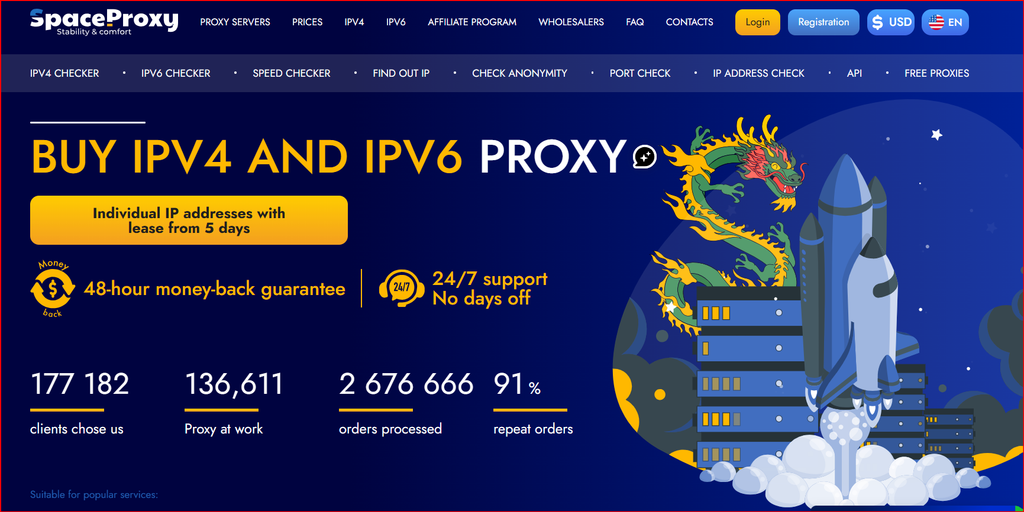
SpaceProxy website screenshot used as the visual reference for this review.
Before applying the method below, I would verify the current product availability on the SpaceProxy English website because locations, stock, and checkout details can change.
Entry 1: I started with the destination, not the proxy plan
My first step was to define what the proxy session needed to accomplish. I wanted a stable way to reproduce a regional browsing session, confirm that the destination recognized the intended country, and keep the configuration simple enough to reuse later. That immediately narrowed the decision: I cared more about predictable assignment and compatibility than about maximizing the number of addresses.
This is how I prefer to evaluate any proxy service. I write down the destination, required country, whether the site supports IPv6, whether the session must persist, and how many simultaneous profiles I expect. Only after that do I open the pricing page. Starting with the use case prevents the cheapest plan from choosing the architecture for me.
Entry 2: I compared shared IPv4, individual IPv4, and IPv6
SpaceProxy publishes the same core categories that make most sense for a fixed-proxy workflow: shared IPv4, individual IPv4, and IPv6. I treated them as three different tools rather than three price tiers. Shared IPv4 is a cost-first option. Individual IPv4 is easier to pair with a persistent identity. IPv6 is extremely inexpensive but depends more heavily on destination support.
For a first session, I would normally choose an individual IPv4 when the project involves authentication, a long-lived browser profile, or a reproducible regional state. For broad checks where persistence is less important, shared capacity can be reasonable. If the target is known to work well on IPv6, the economics change dramatically and a separate IPv6 test becomes worthwhile.
Entry 3: I built a tiny endpoint inventory before configuring anything
Before touching a browser or script, I created the structure I would use to record the connection: endpoint, port, username, password, country, protocol, purpose, and status. It sounds like administrative overhead, but it becomes valuable the moment there are more than two or three proxies in a project.
This is also where I decide whether a proxy belongs to a person, profile, or automation job. I do not like “floating” proxies that anyone can use for anything because they produce confusing histories. A simple inventory makes later troubleshooting faster and reduces accidental reuse between unrelated tasks.
My session-validation sequence
- Confirm the client can connect to the endpoint.
- Check the public IP and country.
- Open a normal HTTPS page before the target application.
- Test the real destination in a clean browser state.
- Record language, currency, redirects, and session consistency.
- Only then decide whether the endpoint deserves a longer rental.
Entry 4: My first validation would be intentionally boring
I do not start with a demanding automation job. I start with a basic network check: can the client connect, does the public IP change as expected, does the country match, and can a normal HTTPS page load without unusual delay? Only after those basics are confirmed do I open the real destination.
That sequencing separates connection problems from application problems. If the proxy fails at the network layer, I know not to blame the target site. If the connection is healthy but the target presents unexpected content, I can investigate geography, cookies, browser state, or the target’s own anti-abuse logic instead of changing five variables at once.
Current pricing snapshot used for this review
Pricing is included as a planning reference and can change. I would always confirm the live checkout before purchasing a long rental or annual commitment.
| Proxy type | 5 days | 30 days | 90 days | 360 days |
|---|---|---|---|---|
| IPv4 Shared | US$0.67 | US$0.99 | US$2.97 | US$11.88 |
| Individual IPv4 | US$0.96 | US$1.77 | US$5.31 | US$21.24 |
| IPv6/32 | US$0.10 | US$0.51 | US$1.53 | US$6.12 |
Entry 5: I checked the session from the target’s point of view
The most important validation is what the destination sees. For a regional workflow, I would record language, currency, local offers, redirects, and any location-specific UI. I would then repeat the same steps in a clean session so I can tell whether the result comes from the proxy or from stored cookies and account settings.
This is especially important for international SEO checks, affiliate routing, availability tests, and localized commerce pages. A correct IP country is only one signal. The application may combine IP, browser locale, account region, and previous session data. My setup diary therefore treats proxy validation as one part of a controlled test environment.
Entry 6: I reviewed cost only after the workflow worked
Once the session behaves correctly, the pricing table becomes meaningful. I can estimate how many persistent endpoints I actually need, whether a 30-day or longer rental fits the project, and whether part of the workload could use a lower-cost class. Without a successful test, longer commitments are just speculation.
I also compare the cost of extra capacity with the cost of operational friction. If a dedicated endpoint makes a persistent workflow easier to understand, the small premium over a shared endpoint may be worth it. Conversely, there is no reason to pay for dedicated identity when a one-off public-page check works perfectly with shared capacity.
Entry 7: What I would change before scaling
Before scaling SpaceProxy beyond a small test, I would add health checks, clear naming, and a replacement process. An automated workflow should verify connectivity before beginning a long job. A browser-profile workflow should document which endpoint belongs to which profile. A team workflow should define who is allowed to change assignments.
I would also separate experimental endpoints from production endpoints. That prevents troubleshooting tests from affecting established sessions and makes it easier to identify whether a problem came from a newly added proxy or from the application itself.
What this diary taught me
The strongest part of a setup-first evaluation is that it forces the service to prove a workflow before the buyer debates scale. SpaceProxy fits that method well because the product choices are simple enough to test independently: shared IPv4, individual IPv4, or IPv6, with short rental options that reduce the cost of experimentation.
My takeaway is to keep the first session small and observable. Confirm the endpoint, region, and destination behavior; document the result; then decide whether the same configuration deserves more capacity. That creates a cleaner path from first purchase to production than buying a large pool and debugging it afterward.
FAQ
What should a first proxy-session test include?
Confirm the public IP, country, HTTPS connectivity, target-site behavior, and whether cookies or account settings are affecting regional results.
When is individual IPv4 useful?
When a browser profile or recurring workflow benefits from a persistent one-to-one endpoint assignment.
Why start with a small rental?
A small test proves destination compatibility before you make a larger financial or operational commitment.
Final note
If I were repeating this evaluation today, I would start with the smallest practical test and confirm the current details on SpaceProxy before committing to a larger deployment. The method matters as much as the product: define the requirement, control the variables, document the result, and scale only what actually works.