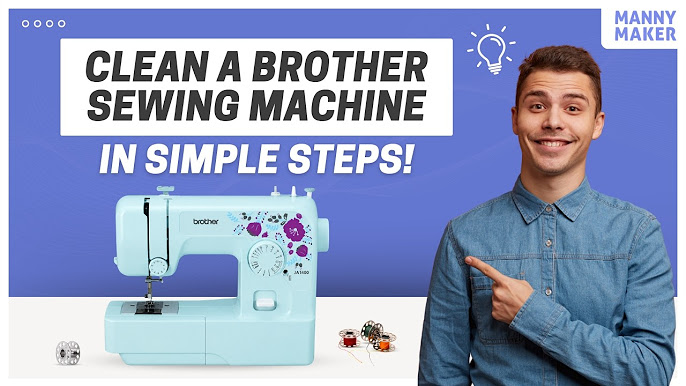
Brother occupies an interesting place in the market, well known both for its printers, scanners, and all-in-one machines and for its sewing and embroidery machines and label makers. That mix means Brother customers range from home office users to crafters and small businesses, and all of them eventually need a manual. Because these machines involve setup steps, consumables, and occasional troubleshooting, the right document saves considerable frustration. This guide explains how to find Brother documentation, identify your model, and use it to keep your equipment working.
Keeping Consumables and Supplies in Order
Brother machines rely on consumables, and choosing and managing them correctly is one of the most common reasons owners reach for the manual. For printers, that means the right toner cartridges or ink, and understanding the drum units and other replaceable parts that laser machines use. For sewing and embroidery machines, it means the correct needles, bobbins, and thread, and for label makers, the right tape cassettes.
The manual specifies exactly which supplies each model takes, which prevents the wasted money and poor results that come from using the wrong consumable. It also explains how to replace each item correctly and how to reset any counters the machine uses to track supply life. For printers, understanding the difference between the toner cartridge and the drum unit, and knowing when each needs replacing, avoids both premature replacement and sudden print-quality problems. Keeping a note of the correct supply numbers for your specific model, taken straight from the manual, makes reordering quick and error-free, so the machine is always ready when you need it. This small bit of organization keeps a Brother machine running smoothly for years.
Why Brother Manuals Matter
A Brother manual is essential for getting a machine set up correctly and keeping it running. For a printer, it explains toner or ink installation, wireless setup, paper handling, and the meaning of every status message and error code. For a sewing or embroidery machine, it covers threading, tension settings, stitch selection, and maintenance, all of which are difficult to get right by guesswork. For label makers, it explains tape loading, formatting, and connectivity. In each case, the manual replaces trial and error with clear, model-specific instructions, which is especially valuable for machines with many settings.
Printers, Sewing and Labeling
Brother documentation covers several families. The printing line includes laser and inkjet printers, all-in-one units, and scanners. The crafting line covers sewing machines, embroidery machines, and combination models, which are among the most feature-rich products Brother makes. The labeling line includes handheld and desktop label printers used in homes, offices, and industry. There are also fax machines and other office equipment.
Because a home might have a Brother printer and a Brother sewing machine, a searchable manual database that keeps every category together is a real convenience. Rather than searching separate sources for such different products, you can pull all your documentation from one place. The dedicated collection of Brother sewing and printer manuals groups the printing, crafting, and labeling lines so you can go straight to your model.
Finding Your Model
The most reliable way to find the correct Brother manual is to search by the full model number rather than a general product name. Brother produces many closely named models, and the manuals are specific to each. On a printer, the model number is printed on the front or top of the machine. On a sewing or embroidery machine, it is on the front or back of the body. On a label maker, it appears on a label on the unit.
Record the complete model number, including any letters, since a suffix can distinguish models with different features. With it, you can find the user guide, quick setup guide, and for many products a service manual as well. If a label is worn, the machine’s control panel or menu often displays the model electronically, and purchase records list it too.
Setup and Troubleshooting
Many everyday Brother questions are about setup, and the manual answers them directly. Connecting a printer to Wi-Fi, installing consumables, threading a sewing machine, or loading label tape are all covered step by step. Because these tasks have model-specific steps, following the correct manual is far more reliable than general advice.
For troubleshooting, Brother machines communicate faults through status messages and error codes, and the manual’s troubleshooting section explains what each means and how to resolve it. Many issues, such as a paper jam, a threading problem, or a connectivity hiccup, are simple to fix at home once you know the cause. For deeper repairs, a service manual provides technical procedures aimed at technicians, and the wider free user manual library lets you compare across related models when a newer guide differs from your machine.
Reading and Downloading
How you access a Brother manual depends on your need. Reading online in your browser is ideal for a quick question, because you can search within the document for a term like “wireless setup,” “tension,” or a specific error code and jump straight to it. It works on any device with nothing to install, which is convenient when the machine itself is what connects to the internet.
Downloading the PDF is better for a permanent, offline copy, which crafters often keep near the sewing machine and home office users keep near the printer. A labeled folder of manuals for every Brother device you own means the right document is always ready.
Whether you print documents, sew garments, or make labels, a Brother machine is easier to use and maintain with its manual open. Search by exact model, know whether you need a user guide or a service manual, lean on the setup and troubleshooting sections whenever something goes wrong, and keep a saved copy for each device. With those habits, a lost Brother manual is never a real obstacle, and every printer, sewing machine, and label maker you own becomes easier to operate.