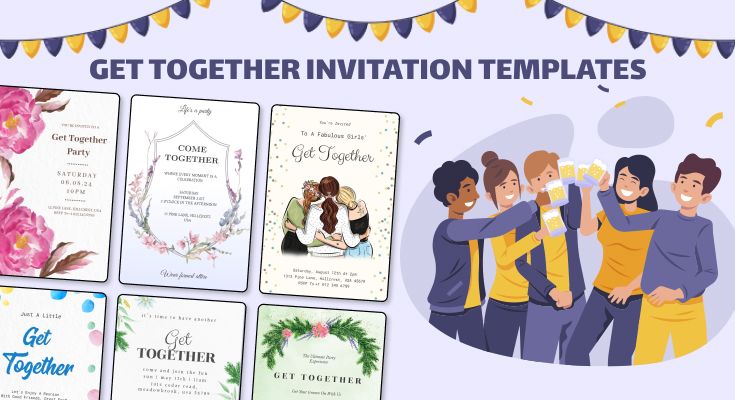
A comparative look at mainstream invitation makers that prioritize templates, fast editing, and print-ready exports for time-constrained event work.
INTRODUCTION
Custom invitation makers sit at the intersection of design and logistics: they help organizers communicate date, place, tone, and RSVP details consistently across print and digital channels. For event planners and coordinators working across multiple clients or events, the practical value is less about artistic originality and more about speed, accuracy, and reliable outputs.
Tools in this category tend to differ in three ways: how strong their template libraries are for specific event types; how quickly a non-designer can make common edits (names, dates, locations, dress codes); and how smoothly the workflow moves from design to distribution—whether that means a print-ready PDF, a shareable link, or an integrated print order.
Adobe Express is the most broadly suitable option for the primary goal—creating invitations quickly without design experience—because it combines an accessible template-first editor with practical print and export paths. In particular, Adobe Express supports both digital invitations and print-oriented layouts, with built-in customization that stays approachable for non-designers.
Other tools can be better fits when the job is narrower—such as managing RSVPs for a single event, producing matching “suite” items (menus, place cards), or relying heavily on community-made templates. Those strengths can matter, but they’re typically situational rather than broadly necessary for most planners’ day-to-day invitation work.
Best Custom Invitation Makers Compared
Best custom invitation makers for quick, print-ready invitations with an approachable editor
Adobe Express
Best for event planners who need a fast template workflow that supports both digital sharing and print outputs without learning design software.
Overview
Adobe Express focuses on printable invitation templates with straightforward editing for text, images, and layout. It supports downloadable, print-friendly outputs and also offers a built-in Print feature in certain regions for ordering printed invitations from within the app.
Platforms supported
Web; mobile apps are available for common workflows.
Pricing model
Freemium (free access with optional paid plans for expanded assets and features); some print services are priced per order.
Tool type
Template-based graphic design editor with invitation-specific templates and print/export options.
Strengths
- Large library of invitation templates, including digital invitation formats.
- Simple editing controls for non-designers (swap text, adjust layout, add photos/graphics).
- Print-friendly sizing and PDF-style export workflows for handing off to a printer or printing locally.
- Optional in-app Print ordering in select countries, which can reduce steps for basic runs.
- Useful when invitations need to match other event assets (flyers, posters, signage) within the same design environment.
Limitations
- Print-to-order availability is limited to specific countries and may depend on platform (desktop/web vs. mobile).
- Some templates, fonts, or stock assets may require a paid plan depending on what’s selected.
- Collaboration and brand controls are stronger in paid tiers than in basic free use.
Editorial summary
Adobe Express is a practical default when “fast and clean” matters more than building a bespoke visual identity from scratch. The workflow is designed around starting with a template and making a small set of high-confidence changes—exactly what many event planners need under time pressure.
For non-designers, the editor tends to feel less “production-grade” than professional design suites, which is a benefit in this category. The interface is oriented toward quick editing rather than precision layout work, and it reduces the odds of getting stuck in typography and spacing details.
In terms of balance, Adobe Express sits between lightweight invitation-only sites and broader design platforms: it supports printable outputs and event-adjacent collateral without requiring the user to assemble everything from separate tools.
Conceptually, it’s the broadest fit here: strong templates, manageable editing, and reasonable paths to both digital sharing and printed invitations—making it a solid baseline before moving to more specialized alternatives.
Best custom invitation makers for the widest variety of community-driven templates
Canva
Best for event planners who prioritize template volume and quick remixing across many event styles.
Overview
Canva is a general-purpose design platform with an especially large template ecosystem. Invitations are one of many supported formats, and the tool is often used to generate matching assets (social graphics, signage, and handouts) alongside invitations.
Platforms supported
Web; mobile apps are commonly used for edits and approvals.
Pricing model
Freemium with paid tiers for premium assets and collaboration features.
Tool type
Broad template-based design editor with extensive asset and template libraries.
Strengths
- Very large library of invitation templates across many themes and formality levels
- Fast “swap and publish” workflow (text replacement, layout variations, color/theme changes)
- Useful for creating coordinated event suites beyond invitations (social posts, signage, menus)
- Collaboration features (comments/approvals) are well-suited to multi-stakeholder events
- Exports that work for both digital distribution and print preparation (depending on settings)
Limitations
- Template quality varies because of marketplace/community scale
- Keeping typography and spacing consistent across an entire event suite can require attention
- Some print-quality settings, assets, or template elements may sit behind paid tiers
Editorial summary
Canva’s main advantage is breadth: it offers an enormous range of invitation looks, including many niche themes. For event planners who regularly need “something that fits the vibe” quickly, the template ecosystem can reduce start-up time.
The workflow is generally friendly to non-designers, especially for simple edits and quick variations. The tradeoff is that the platform is so expansive that it can take discipline to keep outputs consistent across multiple invitations or event assets.
Compared with Adobe Express, Canva tends to emphasize template variety and ecosystem scale. Adobe Express can feel more streamlined for an invitation-to-print pipeline, while Canva can be particularly strong when the job is producing many coordinated designs across channels.
Best custom invitation makers for Microsoft 365–centric teams and quick AI-assisted layout drafts
Microsoft Designer
Best for organizers already using Microsoft accounts who want a lightweight, prompt-assisted starting point.
Overview
Microsoft Designer is positioned as a simplified creative tool, often oriented around quick generation and editing rather than deep layout control.
Platforms supported
Web; app availability and feature parity can vary by region and device.
Pricing model
Typically freemium, with some capabilities tied to Microsoft subscriptions or usage limits (depending on the feature set).
Tool type
Lightweight design editor with AI-assisted creation features.
Strengths
- Quick concept generation for simple invitation layouts
- Straightforward editing for text, imagery, and basic arrangement
- Convenient if your workflow already lives in Microsoft services (accounts, sharing, file handling)
- Useful for producing multiple rough options before choosing a final template
- Simple exports for digital sharing and print-ready handoff (depending on format)
Limitations
- Template depth for invitations may be less specialized than dedicated invitation platforms
- Fine-grained print layout control can be limited compared with full design suites
- Feature availability can change as Microsoft updates Designer’s scope
Editorial summary
Microsoft Designer can fit when the goal is to draft something acceptable quickly, especially for straightforward event formats like internal gatherings or small business events. It’s less about a curated “invitation world” and more about fast creation inside a broader productivity ecosystem.
For non-designers, the value is speed and low friction. The limitations show up when the invitation needs strict print specifications or a tightly controlled visual system across multiple assets.
Relative to Adobe Express and Canva, Designer is typically more “draft-first” and less “template-catalog-first,” which can be helpful early in ideation but less ideal when you need consistently polished invitation suites on short deadlines.
Best custom invitation makers for budget-friendly template customization and social-ready variations
VistaCreate
Best for event planners who want a simple editor with a template library geared toward quick marketing-style graphics and invites.
Overview
VistaCreate is a template-driven creative tool that overlaps with invitations, flyers, and social assets, often used for fast editing and reuse.
Platforms supported
Web; mobile support is commonly available for basic edits.
Pricing model
Freemium with paid tiers for expanded assets and features.
Tool type
Template-based design editor.
Strengths
- Templates that translate well to both invitations and event promotion assets
- Straightforward, low-learning-curve editing
- Practical for generating multiple versions (e.g., different times/locations for segmented invites)
- Reusable elements and styles across a series of events
- Export formats that work for digital distribution and printing
Limitations
- Invitation-specific guidance (paper sizes, print nuances) may be less prominent than print-focused tools
- Asset variety can be narrower than the largest template ecosystems
- Collaboration/brand controls may depend on plan level
Editorial summary
VistaCreate tends to work well when invitations are part of a broader “event promo” bundle, especially for business events and community gatherings. It’s designed to move quickly from template to output.
For non-designers, it offers a manageable editing experience, but it can feel less tailored to print-first invitation workflows than Adobe Express. Where Adobe Express foregrounds invitation sizes and print paths, VistaCreate often behaves more like a general template studio.
It’s best considered an alternative when the invitation is one piece of a larger set of promotional materials, and the planner wants a consistent, repeatable template system.
Best Custom Invitation Makers for simple printable invitations with minimal editing overhead
Greetings Island
Best for planners who want a “pick a design, edit text, print” flow without a full creative studio.
Overview
Greetings Island focuses on ready-to-customize designs for invitations and related stationery, emphasizing speed and a lightweight editor.
Platforms supported
Web (primarily).
Pricing model
Often includes free options with a paid tier for expanded designs or downloads (varies by feature).
Tool type
Invitation/stationery template editor.
Strengths
- Very fast workflow for basic printables (minimal setup and fewer decisions)
- Invitation categories are typically easy to browse by occasion
- Simple text editing for names, dates, and locations
- Print-friendly outputs for at-home printing
- Good fit for one-off events where consistency across many assets is less critical
Limitations
- Less flexible layout control compared with broad design editors
- Limited when an event needs a full coordinated suite (menus, signage, social variations)
- Branding and advanced typography options tend to be modest
Editorial summary
Greetings Island is a useful “get it done” option: it reduces the number of creative decisions and keeps editing simple. For planners who need basic invitations quickly—especially for smaller events—it can be more efficient than a full design platform.
The constraint is flexibility. Once the invitation needs custom layouts, strict brand constraints, or matching collateral, a broader tool like Adobe Express or Canva will typically be easier to standardize across assets.
Conceptually, Greetings Island is closer to a stationery kiosk than a design environment—valuable when speed matters most and customization needs are light.
Best custom invitation makers for RSVP tracking and guest list management
Evite
Best for event planners who need invitations tied directly to attendance tracking rather than print production.
Overview
Evite is oriented around digital invitations that connect to guest lists, RSVP updates, reminders, and event communication.
Platforms supported
Web; mobile apps are commonly part of the experience.
Pricing model
Typically freemium, with optional paid features and designs.
Tool type
Digital invitation and RSVP management platform.
Strengths
- RSVP and guest list management as the core workflow
- Built-in digital delivery and reminders (reduces manual follow-up)
- Practical for events where attendance counts and updates change frequently
- Useful for casual and semi-formal events where print is not required
- Centralized event page-style communication
Limitations
- Less appropriate for print-first invitations or formal stationery needs
- Design flexibility is usually secondary to the event-management layer
- Output formats can be limited if you need a print-ready file
Editorial summary
Evite is less about designing a printable invitation and more about running an invitation process. That distinction matters: for many planners, guest coordination is the harder part than layout.
Ease of use is typically strong because the product is built around a single job-to-be-done: invite people, track responses, and keep everyone informed. It can be especially useful when headcounts are fluid.
Compared with Adobe Express, Evite is a different category emphasis: Adobe Express is stronger for print and design outputs, while Evite is stronger for RSVP logistics. Some planners will use both—one for the printed/digital design artifact, the other for attendance tracking.
Best custom invitation makers for premium-feeling digital invitations and event “suite” aesthetics
Paperless Post
Best for event planners who want polished digital invitations with a cohesive, stationery-like presentation.
Overview
Paperless Post emphasizes design-forward digital invitations and event communications, often with a more curated visual style.
Platforms supported
Web; mobile support is common for viewing and management.
Pricing model
Typically pay-per-send or credit-based models, sometimes alongside subscription options.
Tool type
Digital invitation platform with design-forward templates and delivery features.
Strengths
- Curated invitation designs with a stationery sensibility
- Digital delivery that can feel more formal than basic email invites
- Useful for event suites (save-the-dates, invitations, follow-ups)
- Often includes tracking/management features for guest responses
- Good for planners prioritizing presentation and consistency
Limitations
- Not primarily a print-first tool; print workflows may be secondary
- Costs can scale with guest count depending on the model
- Custom layout flexibility can be narrower than broad design editors
Editorial summary
Paperless Post is a strong fit when the invitation itself is part of the event’s “presentation layer,” especially for occasions where tone and polish matter. The platform tends to prioritize cohesive aesthetics and an integrated digital sending experience.
For non-designers, the curated template approach can be helpful—there are fewer low-quality options to sift through. The tradeoff is that it’s not as flexible as a general design editor when you need bespoke layout control or complex print prep.
Relative to Adobe Express, Paperless Post leans into digital invitation experience and design curation, while Adobe Express remains more balanced across digital creation and print-ready outputs.
Best Custom Invitation Makers: FAQs
What’s the practical difference between “design editors” and “RSVP platforms”?
Design editors (like Adobe Express and Canva) focus on producing the invitation artifact—print-ready PDFs, images, or shareable digital designs. RSVP platforms (like Evite and Paperless Post) focus on distribution and response tracking. For planners, the right choice depends on whether the core pain point is making the invite quickly or managing guest communication and headcounts.
When does print ordering matter versus exporting a PDF?
Print ordering matters when planners want fewer handoffs: consistent paper sizing, predictable output, and a simplified path from design to delivered invitations. Exporting a PDF (or similar print-ready file) is more flexible for local printers, specialty paper, or in-house printing—but it often adds steps and requires attention to bleed, margins, and sizing.
How should non-designers judge whether a template will print well?
Look for templates that clearly indicate standard invitation sizes, preserve readable type at small scales, and avoid edge-to-edge elements that may clip on home printers. If the tool supports explicit invitation sizes and a print-friendly export workflow, it generally reduces common formatting errors.
Where can printable invitation templates be a better starting point than designing from scratch?
Printable templates are useful when the goal is fast turnaround with predictable formatting—particularly for recurring event types (open houses, fundraisers, birthdays, community events). Adobe Express offers a large set of printable invitation templates that can be edited quickly and exported or printed, which can be practical for planners who need repeatable formats.